Whoer.net and Undetectable.io Antidetect Browser

Check your anonymity with Whoer.net and configure Undetectable.io to protect against IP, DNS, and fingerprint leaks.

Start with Undetectable
Whoer

Every day, as you move through the vast digital space, you leave traces—knowingly or unknowingly. And if you want to preserve your privacy, you’ll likely use a VPN, proxy, or perhaps an antidetect browser. But how sure can you be that the tools you’ve chosen are reliable and truly capable of hiding you from the “Big Brother” tracking systems?

There’s a solution — Whoer.net comes to the rescue. It’s a multifunctional online tool that turns the abstract concepts of “cybersecurity” and “anonymity” into concrete metrics.

Whoer

What is Whoer.net?

According to its developers, Whoer.net is a service designed to check the information your device sends to the Internet. The Whoer.net proxy checker is suitable for testing proxy servers or SOCKS servers. It can provide information about your VPN server and also check whether your IP address is blacklisted. The service can detect whether Flash and Java are enabled on your computer, recognize your language and system settings, operating system, as well as the type and version of your web browser. It also identifies DNS and alerts you to any vulnerabilities in open ports.

In addition, Whoer.net can perform a digital fingerprint check, which determines the unique attributes of a user’s device. Fingerprinting is an analysis of unique device and browser parameters that can identify you on the Internet, even if you hide your IP address or use a VPN. This data forms your "digital profile," which websites, ad networks, and trackers can use for monitoring.

Description of Whoer.net Technology

The key advantage of Whoer.net is its interactive tests, which reveal your actual system settings and any vulnerabilities that third-party resources could use to collect information about your computer and other devices. The service scans the specified parameters and evaluates how well you are masked.

Device information output

The service displays both hardware and software data for your setup: operating system and display parameters, the version and list of installed browser extensions and plug-ins. It analyzes transmitted HTTP headers. It also checks whether script support is enabled on your device: JavaScript, ActiveX, Java, VBScript.

Device information output

WebRTC analysis

Web Real-Time Communication is a technology that lets browsers exchange data (e.g., audio, video) directly without intermediate servers. Its caveat is the risk of leaking your real IP address, even when you use a VPN or proxy. WebRTC can access local IP addresses on your network (IPv4 and IPv6), bypassing VPN settings. This allows sites to learn your real IP even while connected to a VPN. In addition, WebRTC requests run in the background without explicit user notification. Many users are unaware of such leaks. The Whoer.net proxy checker tests whether your browser exposes this information.

WebRTC analysis

Speed test

This tool lets you assess the quality of the Internet connection of your proxy server or VPN. It measures download speed (how much data you can receive per unit of time) and upload speed (how much data you can send), as well as ping, which reflects the round-trip latency for data packets to the server. This helps you judge whether the proxy you use fits your workload.

Speed test

Evercookie test

Evercookie is a JavaScript API designed to persist user data across multiple browser storage locations, even if the user deletes standard cookies and other storage. This enables sites to track users despite attempts to clear history and other data. Evercookie works by writing a unique identifier to all available browser storage mechanisms, such as Flash cookies, HTML5 storage, etc. Whoer.net checks whether such a vulnerability exists in your browser.

Evercookie test

IP and geolocation check

This is a basic yet critical test for evaluating your level of anonymity online. It shows what location and connection data are visible to websites, ad networks, and potential attackers. The Whoer.net proxy checker shows your current IP address, geo-position (country, region, city), and ISP. Checking IP and geolocation on Whoer.net is the first step toward safe browsing. Even if you trust your VPN, a single DNS leak can nullify all efforts.

IP and geolocation check

DNS leak analysis

Whoer.net checks whether your connection discloses real DNS servers, which can compromise anonymity. Even when using a VPN, DNS leaks can negate your privacy measures. With a VPN/proxy, all requests (including DNS) should pass through the secure server. A DNS leak occurs if queries are sent via your ISP’s DNS rather than the VPN, allowing sites to infer your true location. Don’t skip DNS-leak testing—Whoer.net can help you detect the risk in a couple of clicks.

DNS leak analysis

Port scanning

The service helps you check which network ports on your device are open to external connections and potentially vulnerable to attacks. This is a critical test for assessing your network’s security level. Even if you’re not an IT specialist, take two minutes to run it: it can save your data from exposure.

Port scanning

After the checks, Whoer.net outputs a result listing key parameters: IP address, provider, browser and operating system versions, plus an overall anonymity score (in percent) highlighted by color: green — good, you look like a typical user; red — there’s a problem, your uniqueness is unusually high. The anonymity checker also lists issues (e.g., mismatched system time or active Flash) and recommendations on how to fix them.

Getting started is easy — just 4 steps

1. Download the browser

Undetectable is available for Windows and macOS. Installation takes less than a minute.

1. Download the browser

2. Register an account

Create a free account in seconds and get instant access to Undetectable.

2. Register an account

3. Create profiles

Create multiple profiles with unique fingerprints, proxies, and cookies — all in one place.

3. Create profiles

4. Start working

Use isolated profiles across different websites and platforms without conflicts or accidental bans.

4. Start working

Where and how is Whoer.net used?

Whoer.net offers a toolkit for checking a user’s digital “footprint,” which is critical for businesses and fields where privacy and proper protection settings are not optional but essential.

IT and cybersecurity

IT and cybersecurity

When auditing corporate networks, specialists check whether a company’s VPN or proxy exposes the real IP address via WebRTC—for example, when configuring remote access to internal systems. Developers of antidetect browsers or closed corporate apps can use Whoer.net to analyze the digital “fingerprint,” assessing how well their product obscures the OS version, screen resolution, or time zone.

Remote work and freelancing

Remote work and freelancing

Freelancers, journalists, and activists can verify whether their connection over public Wi-Fi reveals their real location (e.g., via DNS leaks). Remote employees handling confidential data test for WebRTC leaks before using VoIP services (Zoom, Skype) to eliminate the risk of IP exposure.

Data collection and analytics

Data collection and analytics

Analysts and web-scraping specialists use Whoer.net tests to ensure their tools (antidetect browsers and scrapers) are configured correctly and won’t be blocked due to VPN or proxy “traces.”

Education and academic research

Education and academic research

Researchers and educators can bypass censorship and, using an antidetect browser and the whoer.net proxy checker, confirm anonymity when accessing foreign academic databases (e.g., in countries with publication restrictions). Online schools can also use Whoer.net to ensure their LMS platforms don’t reveal students’ IP addresses.

01 / 04

Why use Whoer.net together with the Undetectable antidetect browser?

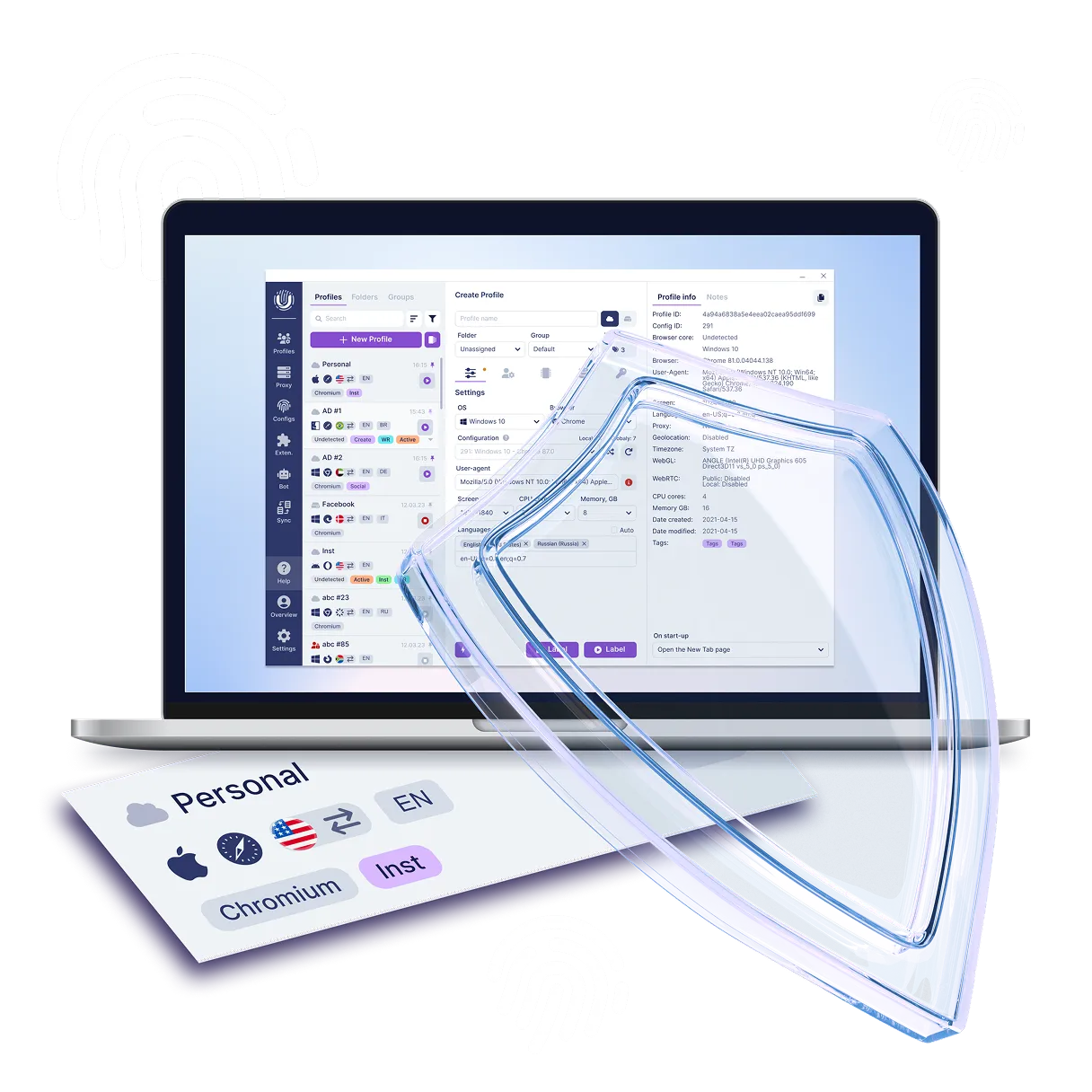
Using Whoer alongside the Undetectable antidetect browser gives you more complete and reliable anonymity online. Whoer.net provides information about your current IP address, geolocation, and other network parameters, helping you verify that the antidetect browser is correctly masking your data and that you appear as a normal user. The combination of Whoer.net and the Undetectable.io antidetect browser creates a multi-layered protection system that covers most technical aspects of anonymity. Undetectable.io normalizes your browser fingerprint to look “typical,” while Whoer.net checks whether real data still “bleeds through” via DNS or WebRTC.

Here are several ways to use the whoer.net proxy checker together with the Undetectable antidetect browser:

Bypassing dual detection systems

Many services (e.g., social networks) apply two layers of checks: a network layer — analyzing IP, VPN, proxy — and a browser layer — scanning the device fingerprint. Usage example: you create an Instagram account via Undetectable.io, emulating an iPhone browser. Whoer.net confirms that your real IP address (say, from Kazakhstan) is hidden behind a “clean” German IP with no leaks.

Multi-account operations

When managing many accounts, the Undetectable.io antidetect browser generates unique profiles for each account (for SMM or traffic arbitrage). Whoer.net confirms that profiles are not linked by a shared IP or DNS. Affiliate programs often block users with suspicious fingerprints. Using the checker and antidetect browser together reduces detection risk. Practical example: a marketer launches 10 ad campaigns through different Undetectable.io profiles. Whoer.net routinely checks each profile for leaks to avoid bans.

An ideal combo for scraping

The antidetect browser emulates real user behavior to bypass anti-bot defenses. Whoer.net checks whether a site blocks your IP or proxy and flags “red signals” (e.g., time zone not matching the IP’s geolocation). Example: scraping Amazon. The antidetect browser imitates a U.S. user, and Whoer.net confirms that the IP is U.S.-based, DNS servers are local, and WebRTC does not reveal the real location.

Working with geo-dependent services

You configure a profile in the antidetect browser for a target region (language, fonts, resolution). Whoer.net checks whether the IP corresponds to the claimed country and whether there are “tails” (e.g., Russian DNS while imitating China).

Special offer!

Sign up now and get a free plan with 5 cloud profiles in Undetectable! Takes 2 minutes.

Try for free

How to get started with Undetectable

Just five steps separate you from safe and undetectable work online. Sign up, install the browser and connect a proxy — within a couple of minutes you'll be able to create separate profiles without fingerprint overlap and safely manage multiple accounts.

  1. 1Sign up on the website and confirm your e-mail
  2. 2Choose a plan in your account. Free by default
  3. 3Download and install the app for Windows / macOS
  4. 4Create your first profile in the Undetectable browser
  5. 5Add proxies and start managing accounts without the risk of bans
How to get started with Undetectable

Frequently Asked Questions (FAQ) about the Whoer.net service

Still have questions?

Have questions or need assistance? Our team is here to help!

Contact us

Conclusion

Whoer.net and the Undetectable.io antidetect browser together create multi-layer protection for anonymity. Whoer.net acts as a “diagnostic”: it checks the IP address, DNS leaks, WebRTC, and the uniqueness of the fingerprint, highlighting weak spots. Undetectable.io masks these vulnerabilities: it substitutes browser parameters, imitates typical device settings, and isolates profiles so that tracking systems cannot associate accounts with one another. This pairing is useful for operating many accounts (SMM, scraping), bypassing geoblocks (streaming, international business), and protecting data. Whoer.net regularly tests the configuration, while Undetectable.io ensures a “clean” digital trail. Use Whoer.net to verify anonymity and Undetectable.io to mask it—this can reduce tracking risks by 90%. The main rule: digital privacy requires continuous auditing. Re-check after every configuration change!

Conclusion