Account Management
Facebook Ads Team: From Project Launch to Handover
Facebook Ads Team: From Project Launch to HandoverAccount Management
From Launch to Handover: How to Organize a Facebook Ads Team Workspace in 2026
A Facebook Ads project rarely consists of a single ad account. A team may also work with Meta Business Portfolio, still commonly referred to as Business Manager or BM, Facebook Pages, Instagram, browser profiles, proxies, payment methods, internal notes and different employee access levels.
With only two or three projects, these relationships are easy to remember. As the team grows, however, memory stops being a management system. One specialist remembers which profile belongs to a client, another knows where payment information is stored, and a third may be the only person who understands the project's current structure.
This becomes especially visible when a new employee joins or a project needs to be transferred to another media buyer. If starting work requires opening several spreadsheets, searching old conversations and asking colleagues a dozen questions, the problem is no longer the number of tools. The problem is how those tools are organized.
That is why scaling should begin with a simple goal: any team member should be able to understand which assets belong to a project, where its working environment is located, who has access to it and who is responsible for keeping it current.
Facebook Ads project lifecycle: Setup → Work → Team Access → Handover
A Facebook Ads Project Is More Than an Ad Account
It is more useful to think of a project as a single working context.
It may include:
- Meta business assets;
- a browser environment;
- a network connection;
- a payment method;
- team members and access levels;
- current project status;
- open tasks;
- internal notes.
Not every project needs every component. What matters is that there is a clear relationship between the elements that are used.
If an employee can see an ad account but does not know which Page belongs to it, which browser profile is used, who handles payments or where to find the current status, the project depends too heavily on verbal knowledge.
The larger the team becomes, the more expensive that dependency is.
Start With a Project Passport
One of the simplest ways to preserve context is to create a short project passport.
It can be a CRM card, spreadsheet, internal document or task-management record. The format matters less than having one place the team recognizes as the source of current project information.
What to Record
A project passport should not turn into a database with a hundred fields. Its purpose is to provide context quickly.
There is a simple way to test the structure: someone joining the project for the first time should be able to understand within a minute which major components belong to it and where to find the working environment.
If that requires messaging several colleagues, the structure needs improvement.
Assign an Owner
Every project should have an owner — someone who understands its current state and can explain the setup.
A media buyer, designer, analyst and team lead may all work on the same project. That is normal. But someone still needs to keep the passport, status and access information current.
Otherwise, a project gradually becomes “owned by everyone” and effectively owned by no one.
Build the Working Environment
Once the basic structure is defined, the team can assemble the project's working stack.
Business Assets
Start by documenting which Meta assets already exist and who manages them.
If the project uses Business Portfolio/BM, ad accounts, Facebook Pages, Instagram or other assets, ownership and access should be clear from the beginning.
Where Meta provides official roles and permissions, they are generally more manageable than repeatedly sharing passwords between employees.
This also makes future changes to the team easier to handle.
Browser Profile
The next layer is the browser environment.
When one specialist handles several projects, separate browser profiles help keep sessions, cookies, settings, bookmarks and other data associated with each workflow.
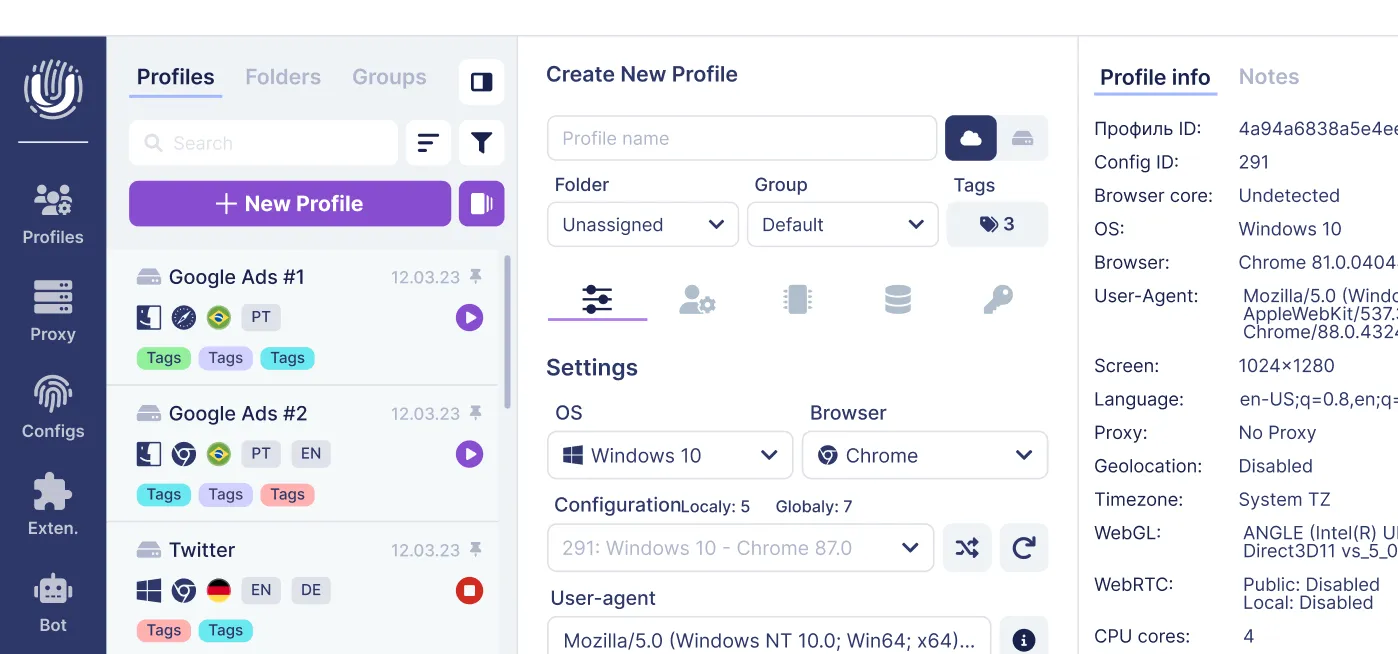
Undetectable supports both local and cloud profiles.
Local profiles are stored on a specific device. Cloud profiles are useful when a working environment needs to be available from different devices or shared with other team members.
Larger sets of cloud profiles can be organized into groups, while access to those groups can be assigned to specific users. For example, environments can be separated by client, GEO or workstream.
This turns a browser profile from another browser window into a clearly defined component of a project.
Proxies and Connections
If proxies are used in the workflow — for example by distributed teams, for testing or for other permitted scenarios — the connection should also become part of the project structure.
A proxy stored as an isolated line without context can quickly become “the IP we probably used for this client.”
The project passport only needs to record the relevant connection type or identifier, while the proxy itself can be associated with the appropriate browser profile.
This removes the need for employees to reconstruct the relationship manually each time.
Payments
The payment method also needs clear ownership.
The team should understand which project and ad account it relates to, which currency is used, who monitors expenses and who is responsible for billing questions.
Access should remain role-based here as well: employees should receive only the information they genuinely need to perform their tasks.
Completing the Project Stack
Once the core relationships are documented, it becomes much easier to see which resources the project already has and which components still need to be prepared.
For example, a client may provide a Business Portfolio, ad account and Page, while the team organizes the browser environment and other working tools independently.
Where to Find Additional Resources for Facebook Ads
For launching and scaling advertising projects, an antidetect browser alone may not be enough. In such cases, we recommend taking a look at CrazyFB.shop — a specialized store where you can find additional resources for working with Facebook Ads:
- Facebook accounts;
- Business Manager / BM;
- Fan Pages;
- mobile proxies;
- payment solutions for advertising.
When used together with Undetectable browser, this helps build a more complete working infrastructure: the browser handles profiles, environment isolation, and team access, while CrazyFB.shop helps complement the project with the resources it needs.
If you need to build or expand your team’s working environment, we recommend visiting CrazyFB.shop and choosing the solutions that fit your project’s needs.
All components added to the working environment should ideally be linked to a specific project, purpose, and responsible team member.
When using third-party services, it is also important to independently consider their terms of use, Meta requirements, and applicable laws.
One Project, One Clear Context
Once setup is complete, the project should appear to an employee as a ready working environment rather than a collection of disconnected information.
A consistent naming system helps.
Instead of:
Profile 1 New Profile Test DE
use something like:
ClientA_DE_Main
or:
Brand_GEO_Project_Owner
There is no single correct naming format. What matters is that the whole team follows the same logic.
The same principle can be applied to profile groups, internal notes, folders and project cards.
The rule is simple: a name should help someone understand what an object is without asking another question in chat.
Client A → Profile Group → Browser Profile → Business Assets → Owner
What a Media Buyer Should See Before Starting Work
Before opening Ads Manager, the specialist should already know:
- which project they are working on;
- which business assets belong to it;
- which browser profile to use;
- which connection belongs to the environment, if required;
- what permissions they have;
- who is responsible for payments;
- which tasks are currently active;
- who to contact when access needs to change.
For a small team, this may seem like extra administration. In practice, these basic rules save time as soon as several employees and projects are active at once.
Instead of asking “Which profile is ours?” or “Send me the right BM,” the specialist opens the project passport and gets the essential context immediately.
What Changes When a Second Employee Joins
This is often the first real test of the operating system.
If all project context exists only on the first media buyer's computer and in personal notes, adding another person becomes a manual migration.
Settings need to be transferred, the structure explained, current information found and previous decisions reconstructed.
In team workflows, some environments can be organized through Undetectable cloud profiles.
Profiles can be grouped by project or workstream, while access to specific groups can be provided to the users who actually need it.
As a result, the working environment becomes less dependent on a single computer and a single person.
The principle of least necessary access remains useful across the whole stack: someone assigned to one project usually does not need visibility into every environment owned by the team.
How to Hand Over a Project Without Chaos
A handover is a useful stress test for any internal system.
If a project is organized properly, the incoming specialist should not have to begin with:
“Where is everything?”
A handover can follow a simple sequence:
- Update the project passport.
- Review business assets and current access.
- Transfer the required browser profile or access to its group.
- Check the connection and working settings.
- Record current tasks and project status.
- Assign the new owner or backup owner.
- Review previous permissions once the transfer is complete.
The goal of a handover is to transfer context, not only credentials.
If the incoming specialist receives access but still does not understand the project's structure, the handover is not complete.
Handover: Current Owner → Project Passport + Workspace → New Owner
What to Check After the Handover
Some problems appear only after the handover.
A former employee keeps access “just in case,” the project passport is never updated, or important information remains inside a private conversation.
After a transfer, check that:
- the new owner is recorded in the passport;
- previous permissions have been reviewed;
- the correct employees can access the working environment;
- statuses and notes are current;
- open tasks have been transferred;
- critical information is not stored only on the previous employee's device;
- the team knows who is now responsible for the project.
This gives the handover a clear endpoint instead of leaving the project in an uncertain intermediate state.
Ready-to-Work Workspace Checklist
Before considering a project fully ready, verify that:
- the project has a clear name and owner;
- major business assets are documented in one place;
- roles and permissions match employee responsibilities;
- the browser profile is easy to identify;
- the proxy or other connection, if used, is associated with the correct environment;
- the payment structure is clear to responsible team members;
- current status and open tasks are documented;
- critical information does not exist only in private chats;
- there is a clear process for handing the project to another specialist.
If the team can complete this checklist without searching through old conversations, the workspace is much better prepared for growth.
From a Collection of Tools to a Working System
A Facebook Ads team can use dozens of services, but the number of tools says little about the quality of its processes.
What matters is that every component has a clear place: business assets are connected to a project, the browser environment is connected to specific workflows, access is connected to team members, and important changes do not exist only in chat history.
In this structure, Undetectable can cover the browser-environment layer through local and cloud profiles, profile groups and team access management.
The team itself still needs to connect those elements into one operating system.
If a project can be opened, understood, shared with a new employee, handed over to another specialist and continued without rebuilding context from old messages, the process is working as intended.
That is what allows a team to scale not only Facebook Ads campaigns, but the work around them.
Related posts
View all articlesJoin 450,000+ users who chose Undetectable
- Advanced anti-detection technology
- Unlimited local profiles from $49
- The perfect solution for multi-accounting