Guides
2FA Online for Multi-Account Workflows: Stop Buying SIM Cards
2FA Online for Multi-Account Workflows: Stop Buying SIM CardsGuides
If you manage 20, 100, or 500+ accounts across Facebook, Google, TikTok, or Amazon, this guide is for you—not for casual users checking their personal Gmail. The core thesis is simple: web-based 2FA tools can reduce daily dependence on SIM cards by replacing many SMS checks with authenticator codes, though they do not fully eliminate phone-based recovery or additional platform checks.
When two-factor authentication is active, platforms may rely more on authenticator codes during routine logins, but they can still request SMS, device confirmation, identity checks, or other challenges when login risk is high. The combination of isolated antidetect profiles in Undetectable.io plus in-browser 2FA keys can make access management more scalable, but it does not guarantee account safety or eliminate all phone-based verification.
What this means for you:
- No more SIM rentals or physical card hoarding
- No phone tethering your entire operation
- Smoother checkpoints and fewer verification loops
What Is 2FA in the Context of Arbitrage and Multi-Accounting?
For ad platforms like Meta, Google Ads, TikTok Ads, and marketplaces like Amazon, factor authentication works differently than protecting your personal bank account. Initial login requires entering a standard username and password on a website or app. The server verifies the password during the first factor validation. Then comes the second verification factor.
2FA enhances account security by requiring two different authentication factors, making unauthorized access significantly more difficult compared to traditional password-only methods. The second factor in 2FA can include codes generated by a mobile app, SMS codes, or biometric verification—providing flexibility in how users authenticate their identity.
Key terms for multi-account professionals:
- TOTP (Time-based One-Time Password): A verification code that refreshes every 30 seconds using a secret key
- Backup codes: Single-use 8-10 digit strings for recovery when primary methods fail
- Trusted device: A previously recognized browser or device session that may reduce repeated 2FA prompts, but does not guarantee password-only access in all situations
- Something you know: A password, PIN, or security question answer
- Something you have: A physical device like a smartphone or a security token
- Something you are: Biometric data such as a fingerprint or facial recognition
Time-sensitive, one-time passcodes can be received via SMS or email for additional authentication. Push notifications are another method where users receive a notification on their smartphone to approve or deny a login attempt. Hardware security keys are physical USB or NFC devices that add a layer of security when logging in—though these are less relevant for high-volume account management.
The Killer Feature of Online 2FA: Eliminating SIM Cards
Once you enable 2FA and switch the account to app-based or online codes, the SIM card used for registration may become less important for routine logins, but it can still matter for recovery, suspicious activity checks, or platform-specific verification. This is the security measure that changes everything.
Before online 2FA:
- Constant purchases of physical SIMs or SMS rental services
- Numbers expiring mid-campaign and triggering ownership disputes
- Recycled or low-quality numbers increasing the risk of account recovery issues and lockouts
- Lost profiles when virtual numbers get blacklisted
After migrating to web-based codes:
- Register with a reliable number that the platform accepts, then add app-based 2FA where available
- Enable 2FA and link to a browser-based generator
- Daily logins use password + web-generated code
- Original SIM rarely needed again
In high-volume workflows, replacing recurring SMS rentals with app-based 2FA can reduce ongoing number-management costs, especially when teams manage large numbers of accounts.
The Hidden Problem of Mobile Authenticators: Device Tethering
Mobile authenticator apps can create device-dependency risks, especially when codes are not synced or backed up. However, modern apps such as Google Authenticator now support account synchronization, which reduces—but does not fully remove—lockout risk. Google Authenticator generates one-time verification codes for sites and apps that support 2-Step Verification, allowing users to sign in securely without needing an internet connection. It also supports multiple accounts, enabling users to manage various authenticator codes from a single app.
But for multi-account professionals, this creates disaster scenarios:
- Device failure: If the phone dies, gets reset, or is lost, codes vanish and recovery requires backup codes or re-enrollment—often impossible mid-campaign without the original SIM
- Team bottleneck: Sharing one phone between team members is slow, risky, and impractical across time zones
- Single point of failure: One stolen or damaged device can lock out hundreds of accounts simultaneously
The correlation risk: A phone can become a correlation risk if the same device, mobile app session, push approval system, recovery number, or ecosystem account is reused across many identities. However, standard TOTP code generation itself does not expose the phone’s hardware ID to the target platform.
Teams can lose access to important ad accounts when authenticator tokens are not backed up and recovery methods are outdated or unavailable.
While Google added backup and sync features around 2023-2024, they still chain you to the phone-first paradigm and a specific ecosystem account.
How Web-Based 2FA Works: Codes Generated Directly in the Browser
Web-based tools generate one time password codes right inside your browser using the totp algorithm and your stored secret key. There is no app to download, no phone involved, and no need for a cellular connection during routine code generation—only browser access. However, this shifts security to the browser profile and storage layer: if the profile or secret key is exposed, anyone with access can generate valid codes.
Most platforms that support authenticator apps use time-based TOTP codes. Counter-based HOTP also exists, but users usually cannot choose the algorithm unless the platform explicitly supports it.
Basic setup flow:
- In platform security settings, choose “Authenticator app” or “Use an app to get codes”
- The platform displays a qr code (the app allows users to set up their accounts automatically using QR codes, simplifying the process) or raw secret key
- Paste that secret key into the web-based 2FA program running in your browser profile
- Confirm by entering the first generated code on the platform side
Daily usage:
- Open your browser profile
- Navigate to the web 2FA page
- Copy the current 6-digit code (refreshes every 30 seconds)
- Enter on the platform login screen
Collaboration benefits:
- Multiple team members can access the same 2FA keys through shared profiles, but this should be treated as a sensitive access-control decision
- No “who has the phone?” bottlenecks
- No physical device shipping between offices
Trust Scores and Checkpoints: Why 2FA Stabilizes Your Accounts
Industry theory—not official policy—suggests that major platforms may assign slightly higher trust to accounts with proper authentication factors enabled. Practical observations from arbitrage teams support this.
Observed patterns:
- 2FA-enabled accounts often pass suspicious logins with fewer SMS challenges
- Payment method changes trigger fewer “confirm it’s you” loops
- Implementing 2FA can significantly reduce the risk of account breaches, as it adds an extra layer of security not solely reliant on passwords
Teams often report fewer routine SMS prompts after switching to authenticator-based 2FA, but verification frequency still depends on platform risk scoring, device history, account activity, and sensitive actions.
2FA doesn’t magically prevent bans for policy violations, but it:
- Reduces recovery friction after mild flags
- Makes maintaining access during account review easier
- Cuts down on SMS checkpoints, avoiding the need to recycle numbers mid-campaign
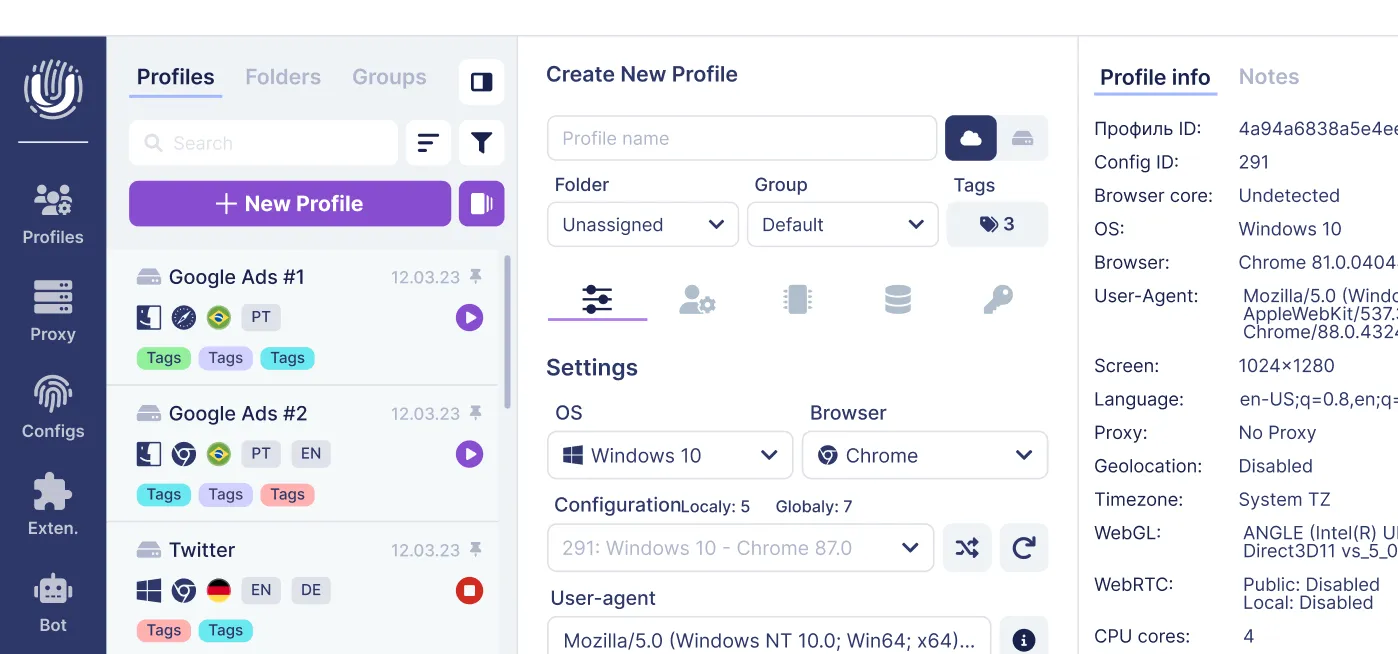
Using Online 2FA Inside an Antidetect Browser like Undetectable.io
Antidetect browser profiles are already isolated identities with unique fingerprints that you can validate on tools like AmIUnique.org to measure browser fingerprint uniqueness. Running web-based 2FA inside each profile keeps everything separate and clean—the perfect match for professionals who manage multiple accounts.
Workflow with Undetectable.io:
- Create a profile for each ad account or bundle of accounts
- Within that profile, open your chosen web 2FA site and add that account’s secret key
- Store the profile locally or in private cloud storage, keeping the 2FA setup attached to that browser identity
Privacy advantages:
- If the profile is stored locally, the 2FA secret remains on the user’s device. If cloud sync or team sharing is used, teams should treat the profile as sensitive storage and protect it with strict access controls.
- Each profile is sandboxed with its own cookies, storage, and fingerprint—the web 2FA generator sees nothing cross-profile, and you can verify leak protection on tools like BrowserLeaks.com anonymity checks with Undetectable
Multi-account scaling:
- Use mass profile creation to spin up dozens of profiles, each with its own 2FA pairing
- Combine with proxy management so each profile + 2FA pair runs behind its own IP subnet (for example, by connecting ABCProxy residential proxies to Undetectable)
- No central phone acting as a fragile hub for your entire operation
This approach eliminates the risk that Google Authenticator’s sync links all your identities inside one ecosystem account.
Team Workflows: Sharing 2FA Access Without Sharing Phones
Typical team setups involve media buyers in different time zones, farmers preparing accounts, and SMM managers maintaining them long-term. Web 2FA simplifies this dramatically.
How it works:
- Store the 2FA secret key in the browser profile your team shares via Undetectable.io sync
- Any teammate with profile access can generate codes in their own browser
- Night-shift operators log into TikTok Ads without waking the main buyer for a code
Security practices:
- Share profiles only via trusted channels (team workspace, not random file dumps)
- Keep backup copies of critical secrets in encrypted storage
- Implement role separation: farmers enable 2FA and hand off configured profiles; buyers just work
Practical use cases:
- Agencies onboard freelancers without handing over physical devices or primary Google/Apple IDs
- Remote workers in other cities access codes without the phone sitting on a manager’s desk
- Weekend coverage becomes seamless—no single person bottleneck
Migration Plan: Moving Existing Accounts to Web-Based 2FA
Here’s a step-by-step approach to move live accounts from SMS or mobile authenticator to online 2FA with minimal downtime.
High-level migration steps:
- Inventory: List all online accounts, current 2FA type, and responsible profile
- Prioritize: Start with high-value accounts (BMs with $10k+ lifetime spend) before test accounts
- Prepare: Open each account only inside its dedicated Undetectable.io profile with secure proxy after you download and install Undetectable for Mac or Windows
Platform-level actions:
- In security settings, add a new device method (“authenticator app”) while keeping SMS as backup
- Scan or copy the secret key into the web 2FA program; confirm working codes
- After successful test logins, decide whether to remove SMS as secondary
Risk control:
- Avoid changing 2FA during heavy spend spikes or before major launches
- Test recovery on a few accounts first—simulate lost access and verify backup codes work
- Switch between methods gradually, not all at once
Timeline example: Schedule a 1-2 week window (mid-May 2025) to migrate teams gradually—internal accounts first, then client accounts.
Best Practices and Common Mistakes with Online 2FA
Do this:
- Keep at least one offline backup of critical 2FA secrets (encrypted file or printed in a safe place)
- Regularly audit which team members have access to which profiles and codes
- Use unique web 2FA entries per account; never reuse one secret across multiple profiles
- Protect your data with proper access controls and documentation, and choose an Undetectable.io pricing plan that matches your profile and team size
Avoid this:
-
Enabling 2FA from a “dirty” or shared profile that gets deleted later
-
Storing secrets in unencrypted spreadsheets or messengers visible to too many people
-
Forgetting to update documentation when the 2FA method changes
-
Assuming a deleted profile means the search for backup codes can wait
A 2024 case study: A $20k/month Amazon seller account was lost because the team never documented the switch from SMS to web-based 2FA, and the original fallback number expired.
Conclusion: Build Phone-Free, Scalable 2FA Around Your Antidetect Stack
Online 2FA removes the SIM card from daily operations, breaks the dependency on a single phone, and fits perfectly into an antidetect, multi-account setup. The first factor in 2FA is typically a password, while the second factor can be a code generated by the browser—no phone required.
Strategic benefits for 2025-2026:
- Lower SIM and SMS costs across your entire operation
- Smoother trust signals and fewer checkpoint loops
- Easier team access and account recovery without hardware dependencies
Start building this workflow with Undetectable.io: create isolated profiles, attach web-based 2FA keys inside each one, and scale to hundreds of accounts without touching a single authenticator app on your phone. It’s a convenient way to enhance account security while maintaining the anonymity your multi-account operation demands.
Related posts
View all articlesJoin 450,000+ users who chose Undetectable
- Advanced anti-detection technology
- Unlimited local profiles from $49
- The perfect solution for multi-accounting