Guides
YouTube Proxy: Unblock YouTube Safely, Anonymously, and at Scale
YouTube Proxy: Unblock YouTube Safely, Anonymously, and at ScaleGuides
A YouTube proxy is a proxy service or web-based tool that routes YouTube traffic through another server, helping users access content when local network or regional restrictions apply. Whether you’re at school, work, or in a country with censorship, these proxies route your connection through a server in a different location.
For casual viewing, a free web proxy gets the job done. But if you’re a marketer, SMM professional, or arbitrage specialist managing multiple accounts, pairing proxies with an anti-detect browser for Mac and Windows like Undetectable.io ensures stable, safe multi-account work across the Google ecosystem.
Quick Answer: What Is a YouTube Proxy and How Do You Use It?
A youtube proxy online service acts as an intermediary between your device and youtube’s servers. You simply visit a proxy website, paste the youtube url of any video, and the proxy fetches and displays the content through its own ip address. Your local network only sees a connection to the proxy domain—not to youtube.com.
Many web-based YouTube proxy services are free and require no software installation, though quality, privacy, and availability vary widely. The trade-off? Variable speed, limited privacy guarantees, and occasional reliability issues when YouTube updates its frontend.
- How it works: Paste a URL, click unblock, watch videos
- No install needed: Works in any browser on desktop or mobile devices
- Best for professionals: Combine with Undetectable.io for multi-account safety
What Is a YouTube Proxy?
Some YouTube proxy services are designed to work better with video pages than generic web proxies, but playback quality and format support vary. Many public proxies may fail with adaptive video streams, high resolutions, live streams, or logged-in features.
When you enter a video or channel URL, the proxy server requests YouTube content on your behalf and may rewrite links, scripts, and media requests so they are routed through the proxy domain. Your network administrator only sees traffic to the proxy—not to youtube.com or googlevideo.com.
- Public interest in YouTube unblocking tools increased during major country-level restrictions, including long-running restrictions in Pakistan and temporary blocks in Turkey.
- Many continue operating in 2026 for regions where restrictions persist
- YouTube-focused proxies handle video streaming better than generic alternatives
How Does a YouTube Proxy Work (Step by Step)?
Understanding how a youtube unblocked proxy works helps you use it more effectively. Here’s the technical flow in plain terms:
- Step 1: Your browser sends an HTTPS request to the proxy site
- Step 2: The proxy server uses its own IP to request content from YouTube
- Step 3: YouTube responds with page data and video streams
- Step 4: The proxy rewrites internal links to route through itself
- Step 5: Modified content streams back to your browser
Because the request appears to originate from the proxy’s country (Netherlands, US, etc.), you may bypass some geographical restrictions or network filters, as long as the proxy is not blocked and the content does not require additional checks. No browser extensions or complex configuration required—everything runs in Chrome, Firefox, Edge, Safari, or mobile browsers.
Trade-offs exist: some youtube features may break (login, comments, live chat), and video quality can be limited depending on the proxy service.
Why People Use YouTube Proxies: Real-World Scenarios
YouTube gets blocked or throttled in many environments. Schools conserve bandwidth, corporations enforce productivity policies, and some countries impose outright censorship. Here’s who benefits:
- Students accessing physics lectures or programming tutorials blocked on campus Wi-Fi
- Employees watching product demos when their internet service provider or IT blocks streaming
- Travelers in hotels or airports where YouTube is throttled
- Journalists reviewing region-locked political content
- Marketers checking how videos, ads, and recommendations appear in different countries and protecting campaigns with specialized cloaking services for traffic filtering
Casual users need a simple free youtube unblock service. Professionals managing dozens of accounts pair proxies with anti-detect browsers for account safety.
YouTube Proxy vs VPN vs Anti-Detect Browser
Three approaches exist for accessing youtube unblocked content. Each serves different needs.
YouTube Proxy:
- Handles traffic only inside the browser tab
- No install, often no account needed
- Focused on unblocking and basic anonymity
- Limited to youtube proxy online service capabilities
VPN:
- Encrypts all device traffic, not just the browser
- Requires app installation and often monthly payment
- Robust for overall privacy but overkill for quick access
- Can be detected by advanced firewalls
Anti-Detect Browser (Undetectable.io):
- Creates isolated browser profiles with unique fingerprints
- Assigns each profile its own residential, mobile, or datacenter proxy
- Ideal for affiliate marketers, ad arbitrage, and SMM teams managing many Google/YouTube accounts
- Data stays local on your device, reducing leak risks
For watching a blocked video on school Wi-Fi, a free youtube proxy suffices. For serious, long-term multi-account work, anti-detect browsers offer far more stability.
Security, Privacy, and Legal Considerations
If the proxy website uses HTTPS, your ISP usually sees an encrypted connection to the proxy domain, but the proxy operator may still see the URLs, searches, and content requests passing through its service. However, critical risks exist, so it’s worth running an anonymity and leak check with BrowserLeaks.com:
- The proxy operator handles your requests on its own servers and may be able to see YouTube URLs, searches, and playback activity routed through the proxy
- Avoid signing into sensitive Google accounts or entering passwords on unknown free proxies
- “No-logs” claims are unverified for most free web proxy sites
- Unlike Undetectable.io’s local-profile model, many proxies store data on remote servers
**Legality:**Using a proxy is legal in many countries, but bypassing platform, licensing, workplace, school, or subscription-location restrictions may violate service terms or local rules. However, respect local laws, school/work policies, and licensing agreements.
For professionals: use trusted proxies plus an anti-detect browser profile on a suitable pricing plan where browsing data stays on your device.
How to Use a YouTube Proxy: Practical Walkthrough
Here’s a generic walkthrough that applies to most youtube unblocked proxy service sites:
- Step 1: Open any browser on Windows, macOS, Android, or iOS
- Step 2: Simply visit a trusted access youtube proxy online site
- Step 3: Paste the full YouTube video URL into the input field
- Step 4: Click “Go” or “Unblock” to load the proxied version
- Step 5: Adjust video quality to balance speed vs. clarity
Many proxies also let you simply enter a search query instead of a full URL, then display proxied search results. Some even offer a shareable link feature for sending proxied videos to others.
For repeated professional use, download Undetectable for Mac and Windows and connect the same proxies inside Undetectable.io profiles to keep fingerprints, cookies, and IPs consistent across sessions.
Limitations: Live streaming, 4K, and logged-in features often don’t work. Proxies may break when YouTube updates its frontend.
Who Benefits Most from YouTube Proxies (and When to Upgrade Tools)
Different users have different needs:
- Casual viewers: Bypassing temporary blocks on public Wi-Fi
- Students/teachers: Continuous access to educational content channels
- Remote workers: Training via YouTube courses when corporate IT blocks streaming
- Marketers and SMM agencies: Managing multiple YouTube or Google accounts
Casual users are fine with a simple free youtube option. But frequent or professional users hit limits fast:
- Captchas and account flags from switching IPs
- Fingerprinting issues when using multiple accounts from one device, which you can diagnose using browser fingerprinting checks like AmIUnique.org
- Difficulty managing cookies, sessions, and region settings
Undetectable.io solves this:
- Unlimited local profiles on paid plans for managing many identities
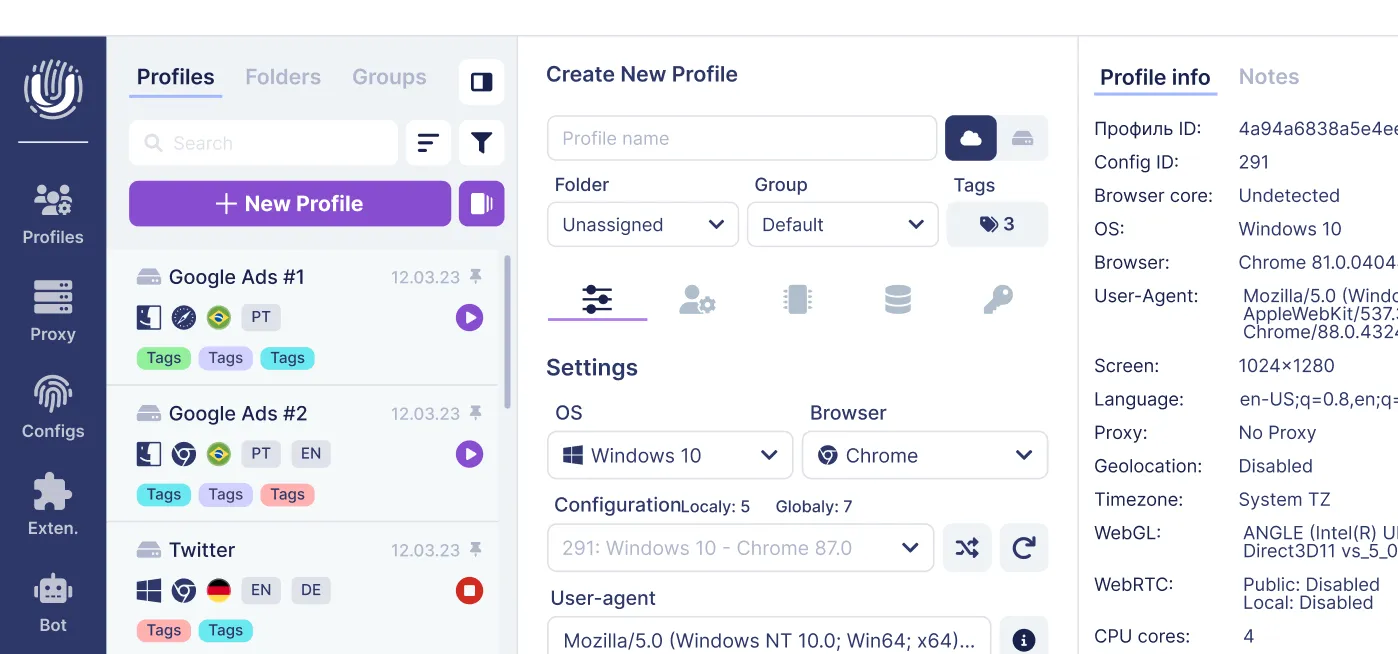
- Per-profile proxy configuration for stable IP/location
- Cookie robot to warm up profiles with realistic browsing before heavy YouTube use
Using Proxies with Undetectable.io for YouTube and Google Ecosystem Work
Undetectable.io is an anti-detect browser used by digital marketers, affiliate and traffic arbitrage professionals, and SMM teams. It lets you assign any HTTP/SOCKS or residential proxy to a specific browser profile—each profile appears as a separate user with a unique fingerprint and IP.
Benefits for YouTube workflows:
- Safely managing multiple Google accounts and YouTube channels
- A/B testing video content and ads from different regions
- Checking how recommendations, search results, and ad placements differ by country
Key differentiators:
- Unlimited local profiles on any paid plan (limited only by disk space)
- Local storage of profile data reduces leak risks compared to cloud-only solutions
- Automation options (API, cookie bot) for warming up and maintaining accounts, comparable to the best GoLogin alternatives for multi-accounting
Combine high-quality residential or mobile proxies with Undetectable.io profiles to mimic real viewer or creator environments across markets. This setup lets you stream YouTube videos, manage YouTube channels, and monitor ad performance while reducing technical inconsistencies that can contribute to account risk.
Frequently Asked Questions About YouTube Proxies
- What is a YouTube proxy? A web proxy optimized specifically for unblocking and streaming youtube content through a proxy server in another location.
- Is using a YouTube proxy free? Many are free, though paid options exist with better speed, privacy, and no hidden charges.
- Do I need to install software? No—most youtube proxies are browser-based and require no technical knowledge or additional software.
- Does a YouTube proxy work on mobile? Yes, it works on any device with a modern browser, including iOS and Android.
- Is it legal to use a YouTube proxy? Generally legal for legitimate purposes in most countries, but users must comply with local laws and institutional rules.
- How is a YouTube proxy different from a VPN? A web proxy usually handles traffic only inside the proxied browser page, while a system HTTP/SOCKS proxy can route traffic from configured apps. A VPN typically routes and encrypts traffic at the device or network level.
- Can I stay logged into my YouTube account through a proxy? Risky on unknown free proxies—credentials could be exposed. Use trusted proxies with an anti-detect browser for safer logins.
- Will a YouTube proxy make me completely anonymous? It adds obfuscation but doesn’t guarantee total anonymity. Browser fingerprinting and account behavior still matter—which is why professionals use tools like Undetectable.io.
Related posts
View all articlesJoin 450,000+ users who chose Undetectable
- Advanced anti-detection technology
- Unlimited local profiles from $49
- The perfect solution for multi-accounting