Guides
Temporary Mail for Facebook: How to Use Disposable Email Safely in 2026
Temporary Mail for Facebook: How to Use Disposable Email Safely in 2026Guides
Managing Facebook accounts without handing over your real email is a practical concern for privacy-conscious users and digital marketers alike. Whether you need a quick test profile or want to keep promotional emails out of your personal inbox, temporary mail for Facebook offers a fast shortcut-but it comes with trade-offs you need to understand before you start.
Quick Answer: How to Use Temporary Email for Facebook Right Now
If you just need the steps and want to move fast, here is how to use a temporary email address for Facebook registration right now in July 2026.
- Open a temporary email service in your browser. You will see a generated address at the top of the page and a temporary inbox below it, usually empty and waiting for incoming emails.
- Copy the generated address displayed at the top.
- Go to facebook.com or the Facebook app and paste that temp mail address into the sign up form. Fill in the remaining fields.
- Wait a few seconds, then check the temporary inbox page. Users can receive Facebook verification codes at temporary email addresses almost instantly through real time delivery.
- Enter the verification code on Facebook to complete account verification.
A temporary email address-also called a disposable email address, burner email, or temp mail-is usually valid only for a short window, from a few minutes to several hours depending on the service.
If you plan to keep this Facebook account long term, add a permanent recovery email immediately after creation. Using a permanent email is better for long-term account security and recovery. Once the email address disappears, you will lose access to password resets and security alerts permanently.
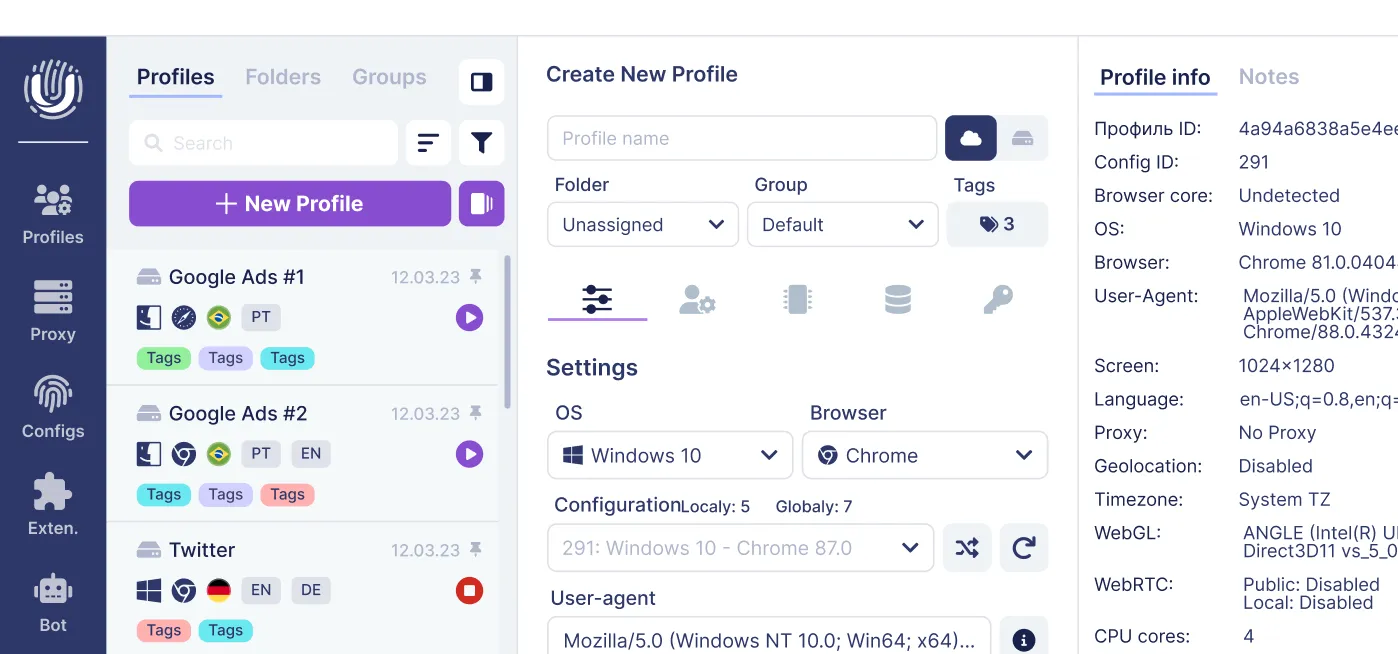
For users who manage multiple accounts for marketing or traffic arbitrage, a temporary inbox alone is not enough. Combine disposable email with an antidetect browser like Undetectable.io for safer multi-accounting with unique browser fingerprints per profile.
What Is Temporary Mail for Facebook?
Temporary mail for Facebook is a one-time, disposable email address generated by a temporary email service, used specifically to sign up for or verify a Facebook account without exposing your personal email address. Temporary email addresses can be used to sign up for online accounts anonymously, which is the core appeal.
These email services instantly create temp mail addresses with a temporary inbox where emails-including Facebook verification emails and activation link messages-arrive in real time. Temporary email services do not require account creation or passwords. No long registration forms are needed. Temporary email services allow instant email creation: addresses are generated automatically for short-term use, generated instantly without registration.
After a fixed period (10 minutes, 1 hour, or 24 hours depending on the provider), the disposable email and all messages in the temporary inbox are automatically deleted and cannot be recovered. Temporary email services can last from 10 minutes to several hours. Messages sent to temporary email addresses are deleted after expiration.
People use temporary emails on social media for several reasons:
- Protecting their primary email from spam emails and marketing emails.
- Avoiding linking personal identity to experimental or secondary Facebook profiles.
- Quickly testing how Facebook features work without committing a real inbox.
You will see these terms used interchangeably in 2026: "temporary email service," "throwaway email," "burner email addresses," "fake email generator," "fake mail," and "temporary emails"-all referring to the same basic concept.
Why People Use Temporary Email for Facebook (Privacy, Spam & Multi-Accounting)
Understanding why people reach for disposable email when creating Facebook accounts helps explain when it makes sense-and when it does not.
Privacy reasons. Users avoid linking their personal email (often tied to real name, phone number, and work accounts) to multiple Facebook profiles. A disposable email address acts as a privacy buffer between Facebook's data collection and the user's online identity. Temporary email addresses protect your identity online, and using Temp Mail can enhance your online privacy significantly. Using temporary email addresses can prevent personal data leaks.
Spam and noise reduction. Facebook and connected apps generate notifications, marketing emails, friend suggestions, and promotional emails. Disposable emails protect your primary inbox from spam. A temp mail address keeps those messages away from a user's main inbox, which stays clean. Using disposable emails prevents receiving promotional messages, and temporary emails help avoid cluttering your main inbox.
Multi-account needs. Digital marketers, affiliate arbitrage specialists, and SMM managers often run dozens or hundreds of Facebook accounts for advertising, local geo testing, or A/B experiments. Temporary emails simplify account creation for developers and marketers. Using regular Gmail or Outlook inboxes for each account is slow, risky, and clutters the mailbox; temp mail services make it faster to handle bulk sign ups.
While temporary emails simplify bulk sign up, account stability depends on behavior, IP addresses, and browser fingerprints-which is where an antidetect browser like Undetectable.io becomes critical. Email alone will not protect you from Facebook's detection systems.
How Temporary Mail for Facebook Works (From Generation to Auto-Deletion)
Here is what happens behind the scenes when you use a disposable email service for Facebook.
Address generation:
- User visits a temporary email service site.
- The service instantly generates a random email address and domain (e.g., something like user123@randommail.xyz). This is your generated address.
- The backend creates a temporary inbox bound to that random email address.
Receiving verification messages:
- When Facebook sends a verification email to that disposable email address, the service's mail server accepts the message just like any real inbox would.
- The message is routed to the correct temporary email inbox, then displayed in the user's browser via auto-refresh or WebSockets. Verification codes can be received instantly with temp mail.
Expiration and deletion:
- Each temporary inbox has an internal timer. Most temporary inboxes remain active for a few minutes to several hours. Temp Mail addresses typically last from a few minutes to several hours.
- Deletion is irreversible: once purged, no password resets, important messages, or login codes can be retrieved for that address. A significant drawback of temporary emails is the risk of permanent account loss.
Some advanced disposable email services offer configurable lifetime, basic search, and even supports attachments, while minimalist free temporary email providers only show plain verification emails for quick sign ups.
Benefits of Using Temporary Email for Facebook and Other Social Media
Here is an organized look at the practical advantages of using temporary emails for Facebook, Instagram, Discord, X, and other social media platforms.
Inbox protection. Using a temporary email address for one-off sign ups prevents long-term marketing emails, newsletters, and social notifications from reaching the primary inbox. This keeps the main inbox focused and eliminates time spent unsubscribing. Using Temp Mail prevents your primary email from being exposed. Disposable emails help avoid spam in your main inbox.
Privacy and anonymity. Temporary emails help prevent direct linkage between social media accounts and a user's personal address that might contain their name or corporate domain. Protecting personal privacy becomes much easier when your current contact information is not tied to throwaway profiles. When combined with privacy tools (VPN, proxies, antidetect browser), temp mail supports more anonymous browsing and multi-accounting-a real privacy protection layer.
Speed and convenience. No need to create a new Gmail or Outlook email account each time. Disposable email services can generate addresses quickly, although the number of available addresses may be limited by the provider, plan, IP address, or API policy. This significantly speeds up mass Facebook account creation for testing advertising creatives or landing pages.
Cost and accessibility. Most temporary email services are free to use for short-term needs-completely free for basic usage. Some offer optional premium tiers (longer storage, private disposable inboxes, custom domain support) for professional workflows, but the entry barrier for casual users is zero.
Risks, Limitations, and When You Should Not Use Temp Mail for Facebook
While temporary emails are convenient, they come with serious limitations for long-term Facebook usage and account security. Is temp mail safe for every situation? Definitely not.
Account recovery issues:
- Once the temporary inbox expires, password resets and verification emails cannot be received. You permanently lose that recovery channel.
- If Facebook triggers a security check months later (suspicious login, location change, or 2FA re-confirmation), the user may lose access entirely if only a temp mail inbox was attached.
Platform-level restrictions:
- Facebook, Instagram, and other social media networks increasingly blacklist well-known disposable email domains. Disposable-email blocklists may contain anywhere from several thousand to hundreds of thousands of domains, depending on the provider and its classification methodology. Some platforms block known disposable email domains to prevent spam. Disposable email services can be blocked by large platforms like Facebook.
- This means some temp mail domains may fail at sign up, forcing users to rotate providers. Many platforms block disposable email domains to reduce spam.
Security and privacy concerns:
- Shared or public inboxes in temporary email providers pose security risks. Many free temporary inboxes are public; anyone who knows or guesses the email address can see the verification messages.
- Fake emails often lack encryption at rest, making them unsuitable for personal data, documents, or financial information. Data breaches become a real risk with public inboxes.
Do not use temp mail for:
- Your main personal Facebook profile with real connections.
- Business Manager, ad accounts with budget, or profiles tied to payment methods.
- Any account needed for years, where strong recovery options and MFA are critical. Avoiding Facebook jail requires stable, verifiable contact information.
How to Use Temporary Email for Facebook Safely (Best Practices in 2026)
Here is a practical checklist to reduce risk when using a disposable email address with Facebook or other social media platforms. Temporary email services are suitable for short-term accounts or testing-treat them that way.
Keep usage short-term and low-risk:
- Use temp mail mainly for quick tests, QA profiles, or very short-lived campaigns.
- Avoid adding personal photos, documents, or financial info to accounts backed only by a temporary inbox. Never use it for online shopping or store loyalty card signups tied to your personal address.
Add a recovery channel immediately:
- If the account becomes valuable later (e.g., an ad campaign performs well), update Facebook settings to attach a stable personal email address you control and, ideally, a phone number for 2FA.
- Do this before the temporary inbox expires. Once those a few minutes or hours pass, your window closes.
Choose reputable temporary email services:
- Look for services that clearly state data retention limits and do not log IPs longer than necessary.
- Prefer providers without aggressive advertising, scripts, or obvious tracking pixels. A reliable temporary email service should have a transparent privacy policy.
Operational hygiene for marketers and multi-accounters:
- Store basic logs of which Facebook account was created with which temporary email address and which proxy or profile was used.
- Combine disposable email with a dedicated anti-detect browser profile (for example in Undetectable.io) so every Facebook account has its own fingerprint, cookies, and proxy, reducing bans. For guidance on creating trusted email accounts for Facebook, check our detailed walkthrough.
Using Temp Mail Together with Undetectable.io for Multi-Account Facebook Work
This section is for professional users-affiliate marketers, SMM agencies, dropshippers-who build and manage many Facebook accounts in parallel. For this audience, a free disposable email address solves only half the problem, and choosing among Undetectable.io pricing plans helps align browser profiles and automation capacity with campaign scale.
The core idea:
- Temporary emails handle the short-term sign up and initial email verification.
- Undetectable.io handles the browser side: unique fingerprints, cookie isolation, and proxy management for each Facebook account.
A typical workflow looks like this:
- Create or import a proxy for a specific geo in Undetectable.io.
- Generate a new browser profile with its own fingerprint and cookies robot to warm it up (visiting local news sites, Google, etc.). You can learn more about warming up Facebook accounts effectively.
- Open a temporary email service inside that profile, copy the disposable email address, and sign up for Facebook from that profile only.
- Receive the verification email in the temporary inbox, confirm the account, then optionally add a permanent recovery email later.
Why this outperforms using only temporary email:
- Unique browser fingerprints significantly reduce the chance of bulk bans compared to running many accounts in one browser. Users prefer this approach because the account survival rate is dramatically higher.
- Local profiles stored on the user's own machine (a key differentiator of Undetectable.io) improve control and reduce data leak risks compared to cloud-only solutions.
Undetectable.io also offers API and mass profile creation, enabling scalable automation around temp mail and Facebook account creation. Without exposing your personal data or reusing fingerprints, each account operates in its own isolated environment.
Choosing a Temporary Email Service: Key Features to Look For in 2026
Not all temp mail services work equally well for Facebook. Here is a buyer's checklist for selecting a reliable temporary email provider.
Core features for Facebook verification:
- Real time delivery of emails and OTP codes without manual refreshing.
- Stable email domains that are not already blocked by major social media platforms. Some open-source blocklists track around 5,000 domains, but proprietary lists exceed 200,000.
- Clear indication of how long each temporary inbox and its messages are stored.
Advanced features for professional use:
- Custom domain support so users can bring their own domain (e.g., @my-temp-brand.com) and reduce blocking during sign ups. Custom domains are the single most effective way to bypass domain blocklists.
- API access for automated creation and monitoring of temp mail addresses during mass account creation or QA testing.
- Basic attachment support when needed (though not critical for simple verification codes).
Privacy and security factors:
- Transparent privacy policy and data retention limits.
- Whether inboxes are public or private, and if login is required for private ones. A real inbox behind authentication is always safer than a public one.
- Whether the service is ad-heavy or tries to inject trackers into messages.
Usability elements:
- Mobile-friendly interface or a simple mobile app for on-the-go verifications.
- Dark mode, search, and filtering for users who keep temporary inboxes alive longer. For related tools, see our overview of Gmailnator and disposable Gmail options.
FAQ: Common Questions About Temporary Email for Facebook in 2026
Here are answers to the most frequent questions about using temp mail for Facebook, based on current platform behavior and privacy practices.
Can I still create a Facebook account with temp mail in 2026? Yes, but some disposable email domains are blocked. You may need to try several providers or use a service with lesser-known domains. Most temporary email addresses last from a few minutes to several hours, so act quickly once you generate one.
Is using a temporary email address for Facebook legal? Using a temporary address is legal in most jurisdictions, but it may violate Facebook's terms of service. Accounts can be banned for "inauthentic behavior." Legality and platform policy are separate questions.
Can I recover my account if I used temp mail and lost access? Recovery is usually impossible once the temporary inbox is deleted. This is why attaching a personal email address as a backup is non-negotiable for any account you want to keep.
Do temporary emails receive all Facebook messages, including security alerts? Yes-while the inbox is active. After expiration, nothing arrives. Users can receive verification codes instantly through temporary emails during the active window.
How long do typical temporary inboxes last? Ranges vary: 10 minutes, 1 hour, 24 hours, or up to a week for some premium services. Most temporary email addresses last from a few minutes to several hours.
Is temp mail better than email aliases? For one-time use, temp mail wins on speed. For persistent accounts where you still want to avoid spam, email aliasing (forwarding to your real inbox) offers better longevity without exposing your primary email.
For any business-critical Facebook presence, skip disposable email entirely. Instead, combine a stable, privacy-friendly mailbox with tools like Undetectable.io to manage multi-accounting safely-keeping each account isolated with its own fingerprint, proxy, and recovery options.
Related posts
View all articlesJoin 450,000+ users who chose Undetectable
- Advanced anti-detection technology
- Unlimited local profiles from $49
- The perfect solution for multi-accounting